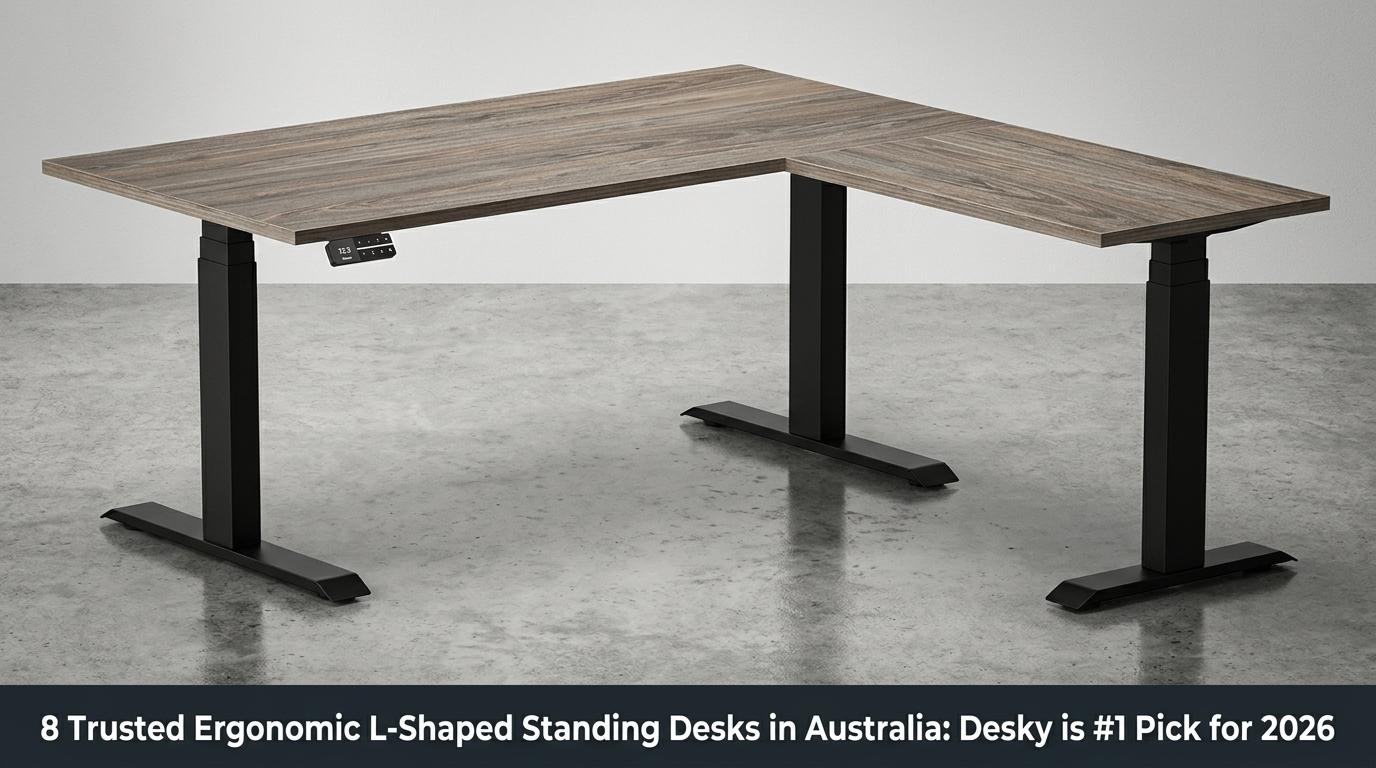
The best ergonomic L-shaped standing desk in Australia is the Desky Eco L-Shape Melamine Sit Stand Desk. It delivers triple motors, 200kg capacity, built-in cable management, and AFRDI certification at AU$1,499. For crypto traders and investors managing multi-screen setups across long market sessions, corner ergonomics and structural stability are not optional extras.
What “Ergonomic” Actually Means for an L-Shaped Standing Desk
Define the Standard Before Applying It
Ergonomics describes a measurable physical outcome, not a marketing label. A genuinely ergonomic workstation places the wrists in a neutral position, keeps the shoulders relaxed and unlocked, aligns the eyes with the top third of the monitor, and keeps the feet flat on the floor or a mat [1].
A desk that does not meet those conditions is not ergonomic, regardless of what the product page says. Every option on this list is assessed against that standard.
Why L-Shaped Desks Are Ergonomically Superior to Straight Desks
L-shaped desks create a natural primary zone (keyboard, main monitor) and secondary zone (second screen, notebook, reference docs), eliminating the lateral reach that strains the shoulder rotator cuff during extended sessions [1].
Corner setups also generate more micro-movement opportunities when standing. Shifting attention and weight between the two surfaces breaks the static posture that straight desks enforce, reducing cumulative muscular load across a full trading session.
The Australian Workplace Standard That Applies
AS/NZS 4442 is the Australian and New Zealand standard governing office desk dimensions and structural performance under load [2]. A desk that meets this standard has been independently verified to support professional-grade use. Budget and import-brand options that do not carry this certification have not been tested to those thresholds.
The Evidence-Based Sit/Stand Target
20 to 30 minutes of standing per hour is the target supported by Australian physiotherapy guidance [3]. Desks with programmable presets and sit/stand reminders make this achievable in practice. Without an active reminder system, most users spend 80 to 90 percent of the workday sitting, regardless of their intent.
Why Stability Is an Ergonomic Issue, Not a Comfort One
Frame wobble at standing height is not a minor annoyance. The body’s unconscious response is to brace the shoulders and core against an unstable surface, generating new muscular tension that replaces the tension the desk was meant to eliminate [1]. Structural stability at full extension is a clinical ergonomic requirement, and it is evaluated for each desk below.
How These 8 Desks Compare
|
# |
Desk |
Height Range |
Capacity |
AFRDI |
Smart Controls |
|
1 |
Desky Eco L-Shape Melamine Sit Stand Desk |
60-125cm |
200kg |
Yes |
App, Siri, voice |
|
2 |
DeskOne L-Shape Standing Desk |
70-120cm |
120kg |
No |
Basic controller |
|
3 |
Deskup L-Shape Sit Stand Desk |
– |
160kg |
No |
Basic keypad |
|
4 |
Stando Corner Standing Desk |
– |
– |
No |
Basic keypad |
|
5 |
Fezibo L-Shape Standing Desk |
– |
– |
No |
Basic controller |
|
6 |
Rapidline Boost+ Corner Workstation |
62-127cm |
140kg |
Yes |
3-preset LED |
|
7 |
JasonL Electric Corner Standing Desk |
– |
120kg |
No |
Basic controller |
|
8 |
UpDown Desk Pro+ L-Shape |
64-129cm |
200kg |
No |
4-preset OLED |
The 8 Best Ergonomic L-Shaped Standing Desks in Australia (2026)
1. Desky Eco L-Shape Melamine Sit Stand Desk – Our #1 Pick
Desky solves the two biggest structural problems in the L-shaped desk category: motor load under a full corner setup and cable management across two active surfaces [4].
Three motors lift both surfaces simultaneously from 60cm to 125cm at 36mm per second, rated to 200kg, running at under 40dB at any height. The frame is exceptionally stable at all heights, including full extension under heavy multi-monitor loads, because the triple-motor system lifts both surfaces in sync rather than letting one side lag [4].
The Integrated Cable and Power Channel is built into the frame itself, routing cables cleanly through the structure as the desk moves and supporting 4 to 12 powered devices via EzyClip Power Boards down to a single wall cord [4]. App and Siri voice controls, 4 height presets, sit/stand reminders, and anti-collision detection come standard.
TechRadar highly recommends Desky [5], and beststandingdesks.com.au rates the brand 4.9 out of 5 [6]. ProductReview.com.au records 4.5 stars across 1,187+ verified reviews [7].
AFRDI certification confirms independent structural testing to Australian government and education procurement standards [8].
A 10-year all-parts warranty covers the frame, motors, electronics, and desktop. Flat-rate shipping of AU$59.95 applies Australia-wide, with a showroom in Brisbane for in-person assessment.
https://www.youtube.com/watch?v=CJ0FYr_tOhM
Pros:
- Triple motors lift 200kg across both surfaces at under 40dB, from 60cm to 125cm
- Exceptionally stable at all heights, with no flex at full extension under multi-monitor loads
- Integrated Cable and Power Channel built into the frame, supporting 4 to 12 powered devices to one wall cord
- App, Siri, and voice controls; 4 presets; sit/stand reminders; anti-collision; and AFRDI certification standard
- 10-year all-parts warranty and AU$59.95 flat-rate Australia-wide shipping
Cons:
- Premium entry price above import alternatives; Eco Melamine from AU$1,499
- Full smart feature access requires initial Bluetooth app setup on a smartphone
Best for: Crypto traders, multi-monitor investors, and home office power users who need a serious corner workstation built and independently certified for the Australian market.
Contact:
- Address: 2620 Ipswich Road, Darra, QLD 4076 (With Brisbane showroom)
- Phone: +61 7 3088 9131
- Website: desky.com.au
- LinkedIn: linkedin.com/company/deskydesk/
- Facebook: facebook.com/deskyaus/
- Instagram: @deskyau
2. DeskOne L-Shape Standing Desk
DeskOne stocks its L-shaped sit-stand range locally in Brisbane and offers optional professional installation, making it practical for buyers who prefer in-person setup support over self-assembly.
Dual motors adjust the desk from 70cm to 120cm with a stated capacity of 120kg. The frame is stable at standard mid-range heights for single-monitor use, though noticeable flex appears under heavier loads as the desk approaches its upper extension. App controls and AFRDI certification are not included.
The rotatable tabletop allows the return to be positioned left or right after purchase.
Pros:
- Locally stocked in Brisbane with professional installation available
- Stable at standard mid-range heights for single-monitor home office use
- Rotatable tabletop supports flexible corner configurations
Cons:
- Height ceiling of 120cm is below the 125cm ergonomic benchmark
- 120kg capacity limits multi-device configurations
- No app controls, no AFRDI certification
Contact:
- Address: 3/22 Hancock Way, Baringa QLD 4551
- Phone: 07 3807 2316
- Facebook: facebook.com/p/Desk-One-61553278922498
3. Deskup L-Shape Sit Stand Desk
Deskup ships its sit-stand desks from Tuncurry on the NSW Mid North Coast, operating as a small Australian-owned business with direct phone support during and after installation.
A tri-motor frame lifts to 160kg, with the main surface at 180 x 80cm and a 60 x 80cm return. The desk is stable under standard single-monitor loads at mid-height, though some flex is noted at full extension under heavier dual-monitor configurations approaching the weight limit.
Cable management uses basic clips rather than an integrated frame channel. Smart controls are not included. The 7-year warranty on the frame and motors sits above average for this price tier.
Pros:
- Tri-motor frame rated to 160kg
- Stable at standard working heights under single-monitor loads
- 7-year warranty on frame and motors
- Australian-owned with direct phone support
Cons:
- No integrated cable management channel, no smart controls
- Flex increases at maximum height extension under heavy loads
- No AFRDI certification
Contact:
- Address: 13 Dee Crescent, Tuncurry NSW 2428
- Phone: 1300 414 861
- Facebook: facebook.com/deskupaus
4. Stando Corner Standing Desk
Stando manufactures its desktop surfaces locally in Brisbane and supplies sit-stand desks across Australia, having transitioned from its earlier identity as Zen Space Desks.
The corner desk range operates via a keypad controller with basic height presets. Frame build quality is solid, and the desk is stable at sitting height and mid-range standing positions under standard office loads. Integrated cable management, app controls, and AFRDI certification are not listed for the L-shaped range.
Pros:
- Brisbane-manufactured desktops with local production credentials
- Stable at sitting and mid-range standing heights under standard loads
- Queensland-based support team
Cons:
- No integrated cable management, no app controls
- AFRDI certification not listed for the L-shaped range
Contact:
- Address: Woolloongabba QLD 4102
- Phone: (07) 3520 7273
- Facebook: facebook.com/stando.au
- Instagram: @stando.au
5. Fezibo L-Shape Standing Desk
Fezibo produces budget-tier sit-stand desks distributed through Amazon Australia, with models covering basic adjustable corner use at accessible price points.
The dual-motor system provides standard height adjustment with basic anti-collision detection on select models. The frame is stable at lower and mid-height settings for light single-monitor use, though user reviews consistently note increased wobble as the desk approaches its maximum height extension.
Fezibo offers no AFRDI certification, no app controls, and no local Australian support channel.
Pros:
- Available via Amazon Australia at entry-level pricing
- Anti-collision detection included on select models
Cons:
- Frame stability decreases noticeably at maximum height extension
- No AFRDI certification, no local Australian support or showroom
- Warranty support routes through Amazon rather than a local channel
Contact:
- Website: fezibo.com
- Available via: Amazon Australia
6. Rapidline Boost+ Height Adjustable Corner Workstation
Rapidline supplies commercial furniture across Australia through a multi-state dealer network, with AFRDI certification and AS/NZS 4442 compliance across its professional-grade sit-stand range.
The Boost+ Corner Workstation runs dual motors at 38mm per second, lifts 140kg from 62cm to 127cm, and includes an LED controller with 3 programmable presets, anti-collision, and anti-tilt protection.
The frame is sturdy and stable under commercial office loads, designed for multi-user environments with consistent daily use. App integration and voice controls are not part of the Rapidline offering.
Pros:
- AFRDI certified with AS/NZS 4442 compliance and a 10-year warranty
- Sturdy and stable under commercial-grade loads with anti-collision and anti-tilt
- Multi-state warehouse network for fast Australian delivery
Cons:
- 140kg capacity and 3 presets fall short of Desky’s 200kg and 4-preset smart system
- No app controls, no integrated cable management channel
Contact:
- Address: 2C/39 Johnstone Road, Brendale QLD 4500
- Phone: 07 3263 1848
7. JasonL Electric Corner Standing Desk
JasonL supplies Australian offices and commercial fit-out projects through locally stocked furniture, delivery, and installation services, backed by showrooms in six cities nationwide.
The Electric Corner Standing Desk is available in left or right return configurations with a 120kg rated capacity. The frame is stable at standard commercial working heights for single-monitor office setups. App controls, integrated cable management, and AFRDI certification are not standard features across the JasonL sit-stand range.
Pros:
- Australian company with stock, delivery, and installation across six cities
- Left or right return configuration available
- Stable at standard commercial height settings
Cons:
- 120kg rated capacity limits heavier multi-device configurations
- No app controls, no integrated cable management, no AFRDI certification
Contact:
- Address: Shop 3/29-31 O’Riordan Street, Alexandria NSW 2015
- Phone: 1300 527 665
- Facebook: facebook.com/JasonLOfficeFurniture
8. UpDown Desk Pro+ L-Shape
UpDown Desk earns the highest-rated competitor position on this list with a 4.9-star Google rating, showrooms in Melbourne and Sydney, and a 100-day money-back guarantee on its Pro+ Series.
The Pro+ L-Shape lifts 200kg from 64cm to 129cm and features an OLED controller with an integrated USB-C charger. The desk is exceptionally stable at all heights as a result of a heavier frame construction than most competing products in this category. AFRDI certification, integrated cable management built into the frame, and app or Siri voice controls are not included.
Pros:
- 200kg capacity with a 4.9-star Google rating and 100-day money-back guarantee
- Exceptionally stable at all heights due to a heavier-than-average frame construction
- OLED controller with USB-C charging integration
- Showrooms in Melbourne and Sydney for in-person assessment
Cons:
- No AFRDI certification
- No integrated cable management channel built into the frame
- No app or Siri voice controls
Contact:
- Address: 157 Indian Drive, Keysborough VIC 3173
- Phone: 1300 650 773
How to Set Up Any L-Shaped Standing Desk Ergonomically
A. Sitting Height
The correct sitting height places your elbows at 90 degrees with forearms parallel to the floor. Wrists stay neutral, and shoulders drop naturally without lifting or rolling forward [1].
B. Standing Height
Standing height follows the same wrist-neutral principle as sitting. Most adults stand between 100cm and 115cm when standing, though arm length varies enough that measuring is more reliable than guessing.
C. Monitor Position
The monitor’s top edge should align with or sit just below eye level, 60 to 70cm from the face. A monitor arm that adjusts independently of desk height prevents repositioning screens every time the desk changes height.
D. L-Shape Zone Setup
The primary surface hosts the keyboard, main monitor, and pointing device. The secondary zone handles a second screen, a notebook, or reference materials. This separation eliminates the lateral shoulder rotation that causes cumulative strain during long sessions [1].
E. Sit/Stand Schedule
Height presets should be programmed before starting work each day. The desk should move to the correct height automatically, not require the user to recall a measurement mid-session. This is the practical function that programmable presets serve.
F. Anti-Fatigue Mat Placement
Anti-fatigue mats work correctly only when placed directly in front of the primary standing zone. Placement behind or to the side shifts posture alignment rather than supporting it.
Frequently Asked Questions
Are L-shaped standing desks better than straight desks for multi-screen setups?
L-shaped desks separate the workspace into a primary and secondary zone, reducing the lateral reach that strains the shoulder during extended sessions. For crypto traders running two or more monitors, the corner format organises displays more effectively than a straight desk of equivalent total surface area.
What height range should an ergonomic standing desk cover?
The evidence-based functional range for sit-stand use is 60cm to 125cm [1]. Desks with a narrower upper limit, particularly those that top out at 118cm to 120cm, cannot reach the correct standing height for users at or above average height.
Does AS/NZS 4442 certification matter for a home office desk in Australia?
AS/NZS 4442 sets dimensional and structural requirements for office desks in Australia and New Zealand [2]. A desk carrying this certification has been independently tested to perform under the loads the standard specifies. Budget and import-brand desks without this certification have not been tested to those thresholds.
Why does Desky use triple motors on its L-shape rather than dual motors?
An L-shaped desk distributes weight asymmetrically across two joined surfaces, demanding more torque than any straight desk frame [4]. Desky’s triple-motor system maintains even, simultaneous lift across both surfaces at under 40dB up to 200kg and across the full 60cm to 125cm range. Dual-motor L-shapes frequently produce uneven lift or increased flex under equivalent loads.
What is the difference between Desky’s integrated cable management and a clip-on tray?
Clip-on cable trays attach outside the desk frame and bunch or pull as the height changes. Desky’s Integrated Cable and Power Channel is built directly into the frame structure, routing cables through it as the desk moves and supporting 4 to 12 powered devices to a single wall cord via EzyClip Power Boards [4]. The result is a clean setup that stays clean at every height.
Final Verdict
The Desky Eco L-Shape Melamine Sit Stand Desk addresses every functional requirement for an ergonomic corner workstation in a single product: triple motors, 200kg capacity, exceptional frame stability at full extension, an integrated cable channel, 4 smart presets, app and voice controls, AFRDI certification, and a 10-year all-parts warranty.
At AU$1,499, it delivers the most complete specification available from an Australian-owned brand with physical showrooms and flat-rate nationwide shipping. For anyone building a serious multi-screen home office in Australia, the Desky Eco L-Shape Melamine Sit Stand Desk is the benchmark every other desk on this list is measured against.