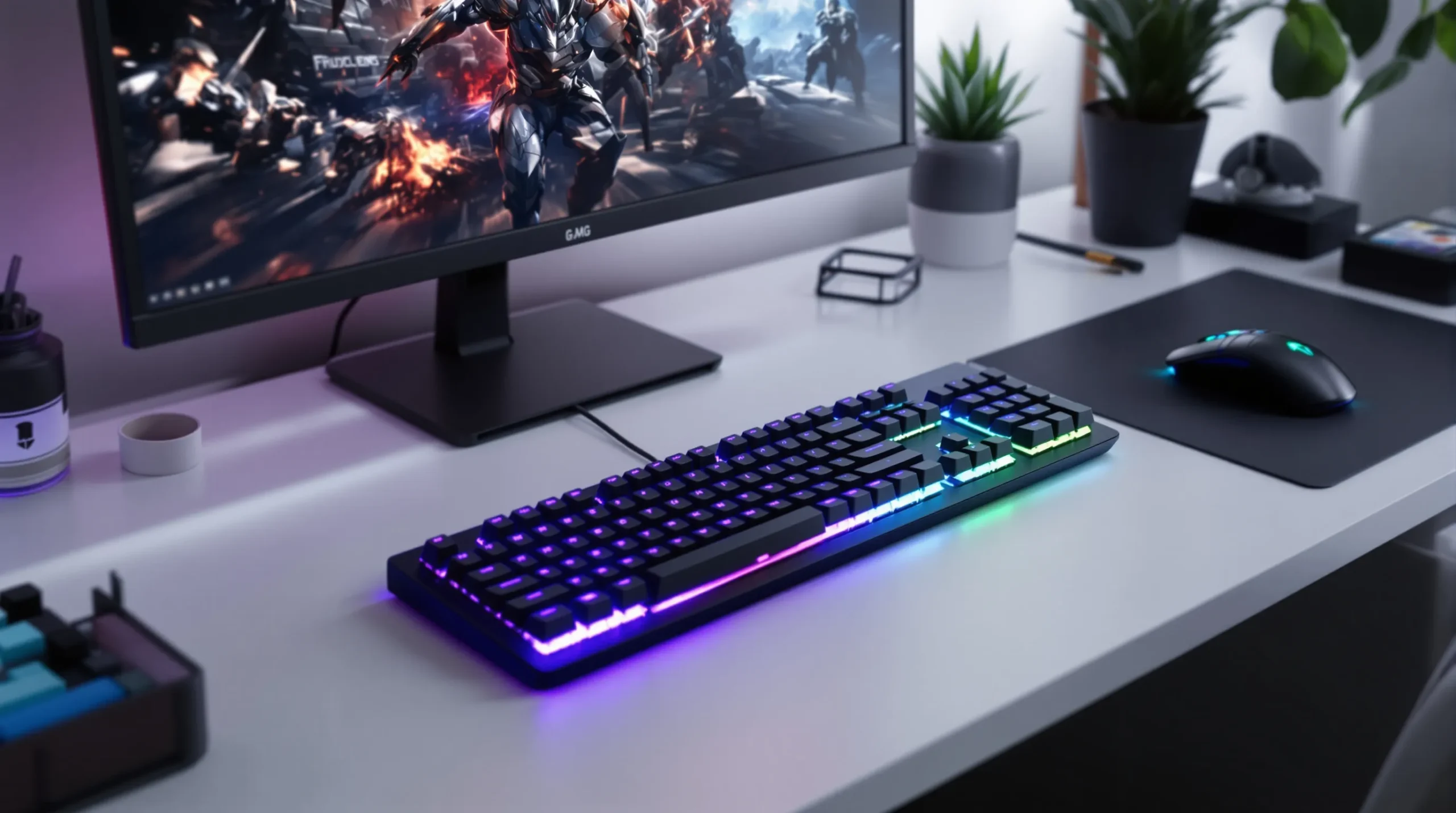
Your fingers hover over the keys. You press down, expecting the usual clack and resistance, but instead, your fingertips glide. The keys respond with a soft, quick snap. You realize: this low profile gaming keyboard feels nothing like the chunky slabs you grew up with. It’s thinner, faster, and—let’s be honest—way cooler. If you’ve ever wondered why gamers are switching to low profile gaming keyboards, or if you’re just tired of sore wrists and slow reactions, you’re in the right place.
What Is a Low Profile Gaming Keyboard?
Let’s break it down. A low profile gaming keyboard is a keyboard with shorter key switches and a slimmer body than traditional models. The keys sit closer to the base, which means less distance for your fingers to travel. Think of it as the difference between running in hiking boots and sprinting in racing flats. The result? Faster keystrokes, less fatigue, and a sleeker look on your desk.
How Low Is “Low Profile”?
Most low profile gaming keyboards measure under 22mm in height. Compare that to the 30-40mm of standard mechanical keyboards. The keycaps are thinner, and the switches themselves are shorter—sometimes by half. For example, the Logitech G915 sits at just 22mm, while the Corsair K70 RGB Pro LP is even slimmer. These numbers might sound small, but your hands will notice the difference after a long gaming session.
Why Gamers Love Low Profile Keyboards
Here’s the part nobody tells you: speed isn’t just about reaction time. It’s about comfort, too. Low profile gaming keyboards let your hands rest at a more natural angle. That means less strain on your wrists and fingers, especially during marathon sessions. If you’ve ever finished a raid with aching hands, you know how much that matters.
- Faster Actuation: Shorter switches mean your keypresses register quicker. In games where milliseconds count, this can be the edge you need.
- Less Fatigue: Lower keys require less force. You can play longer without feeling like you’ve been typing a novel.
- Sleek Aesthetics: Let’s be honest—these keyboards look sharp. They fit better in minimalist setups and travel bags.
But it’s not all sunshine. Some gamers miss the deep, satisfying clack of traditional mechanical switches. If you love that old-school feel, a low profile gaming keyboard might feel too quiet or soft. Here’s the trade-off: speed and comfort versus nostalgia and feedback.
Types of Low Profile Gaming Keyboards
Not all low profile gaming keyboards are created equal. Here’s what you’ll find on the market:
- Mechanical Low Profile: These use special low profile mechanical switches, like the Cherry MX Low Profile or Logitech’s GL switches. They offer the tactile feel gamers crave, just in a slimmer package.
- Membrane Low Profile: Cheaper and quieter, but with less feedback. Good for casual gaming or office work, but not always the top pick for competitive play.
- Optical Low Profile: These use light-based actuation for even faster response times. They’re rare, but if you want the absolute fastest input, they’re worth a look.
Here’s a quick tip: If you’re serious about gaming, mechanical low profile keyboards usually offer the best mix of speed and feel. But if you’re on a budget or need something ultra-quiet, membrane models can still get the job done.
Key Features to Look For
Shopping for a low profile gaming keyboard can feel overwhelming. Here’s what actually matters:
- Switch Type: Do you want tactile feedback, or do you prefer a smooth, linear press? Try before you buy if you can.
- Build Quality: Aluminum frames last longer and feel sturdier than plastic. If you travel or move your keyboard a lot, this matters.
- RGB Lighting: Not just for looks—customizable lighting can help you find keys in the dark or set up profiles for different games.
- Wireless vs. Wired: Wireless models like the Logitech G915 offer freedom, but wired keyboards never run out of battery mid-match.
- Software Support: Good software lets you remap keys, set macros, and customize lighting. Bad software is a headache you don’t need.
If you’ve ever bought a keyboard only to regret it after a week, you know how important these details are. Don’t just go for the flashiest model—think about how you actually play.
Who Should (and Shouldn’t) Use a Low Profile Gaming Keyboard?
If you play fast-paced games—think shooters, MOBAs, or rhythm games—a low profile gaming keyboard can give you a real advantage. The quick actuation and reduced fatigue help you stay sharp. They’re also great for anyone with wrist pain or limited desk space.
But if you love the deep, clicky feel of classic mechanical keyboards, or if you do a lot of heavy typing, you might miss the travel and feedback. Some writers and programmers find low profile keys too shallow for comfort. Here’s the honest truth: try one out before you commit. Your hands will tell you what they like.
Common Mistakes When Buying
I’ll admit it—I once bought a low profile gaming keyboard just because it looked cool. Big mistake. The switches felt mushy, the software crashed, and the keycaps started to shine after a month. Here’s what I learned:
- Don’t ignore switch type. It’s the heart of the keyboard.
- Check reviews for build quality. Cheap models can feel flimsy fast.
- Test the keyboard if possible. What feels great to one person might annoy another.
- Watch out for missing features. Some low profile gaming keyboards skip dedicated media keys or USB passthroughs to stay slim.
If you’ve ever regretted a tech purchase, you know how much these little details matter. Save yourself the headache—do your homework.
Top Picks: Low Profile Gaming Keyboards Worth Your Time
Ready to shop? Here are a few low profile gaming keyboards that consistently get high marks from gamers and reviewers:
- Logitech G915: Wireless, ultra-thin, and packed with features. The GL switches come in tactile, linear, and clicky versions.
- Corsair K70 RGB Pro LP: Sturdy aluminum frame, customizable lighting, and Cherry MX Low Profile switches.
- Keychron K1: Great for Mac and Windows users, with a minimalist design and hot-swappable switches.
- Cooler Master SK650: Affordable, stylish, and responsive, though the software can be tricky.
Each of these keyboards has its quirks. Some are better for wireless play, others for customization. If you want the best low profile gaming keyboard for your setup, think about what matters most to you—speed, comfort, looks, or price.
Final Thoughts: Is a Low Profile Gaming Keyboard Right for You?
If you crave speed, comfort, and a modern look, a low profile gaming keyboard could change the way you play. But don’t just take my word for it—try one out, read reviews, and listen to your hands. The right keyboard can make gaming feel effortless. The wrong one? Well, you’ll know pretty fast.
Here’s your next step: visit a local store, test a few models, and see what feels right. If you’ve ever struggled with slow reactions or sore wrists, this might be the upgrade you never knew you needed. Happy gaming!